
Microsoft 365 Outage: Outlook, Teams and Exchange Online Down as Servers Fail Health Checks
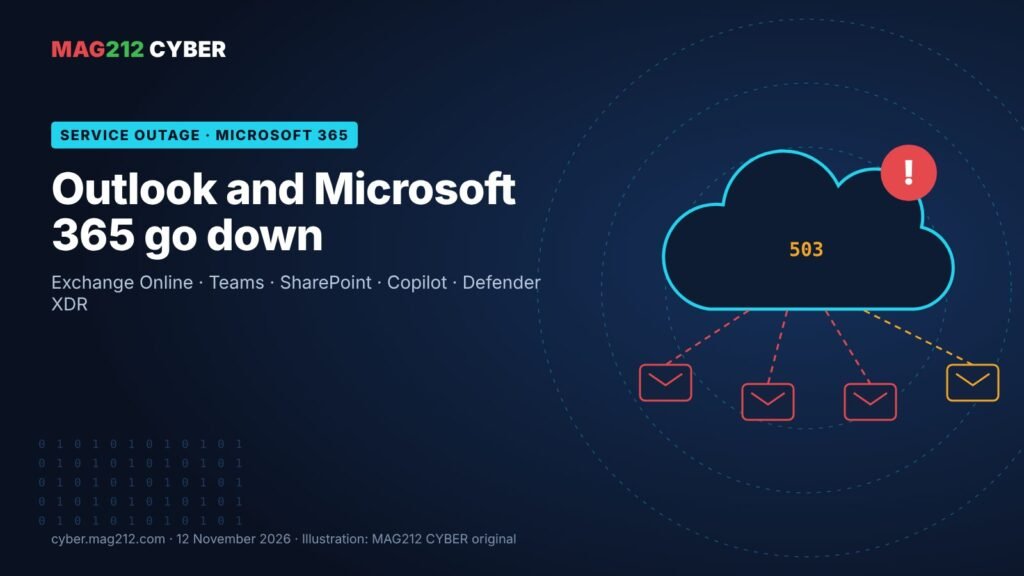
If Outlook stopped loading this afternoon, it wasn’t your computer, your password or your network. A large Microsoft 365 outage on Thursday, 12 November 2026 left users across the Americas and beyond unable to reach their mailboxes, and spread to Teams, SharePoint Online, Microsoft 365 Copilot and Defender XDR. Microsoft says the cause is a set of its own servers failing automated health checks, and so far there is no evidence of a cyberattack. Here is what happened, what Microsoft has said, and what users, IT teams and MSPs should do while service comes back.
| Quoi | Microsoft 365 connectivity outage centred on Exchange Online (business Outlook) |
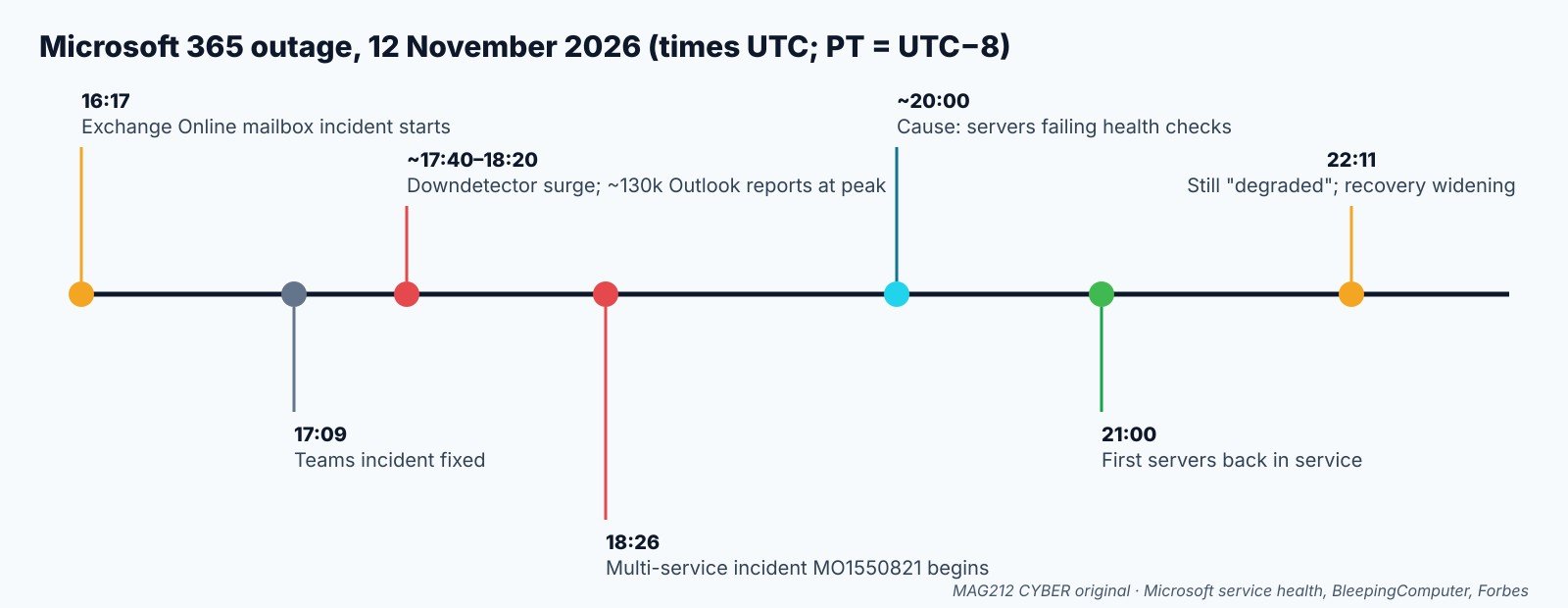
| Quand | Thursday 12 November 2026; incident opened 16:17 UTC (8:17 a.m. PT), still listed as degraded at 22:11 UTC (2:11 p.m. PT) |
| Services named by Microsoft | Exchange Online, Teams, SharePoint Online, Microsoft 365 Copilot, Defender XDR; later Planner, To Do and Purview services |
| Cause (per Microsoft) | Servers failing automated health checks and becoming unavailable, straining the rest of the service |
| Attack? | No evidence disclosed |
| Tracking IDs | EX1550543 and MO1550821 in the Microsoft 365 admin center |
Ce qui s'est passé
[Confirmed] Microsoft’s service health record, mirrored by the University of Wisconsin–Milwaukee, shows an Exchange Online incident starting at 10:17 a.m. Central (16:17 UTC): users “may be unable to connect to their mailboxes in Exchange Online through multiple connection methods.” By 11:45 a.m. Central Microsoft had found connectivity errors on the part of Exchange Online that receives and processes users’ access requests, and by 12:29 p.m. it had moved some US traffic away from the affected infrastructure. (UWM, quoting Microsoft)
[Reported] Public reports surged around 12:40 p.m. Eastern. Downdetector logged a peak of roughly 130,000 Outlook problem reports, with Chicago, Seattle and New York among the hot spots. (NBC Chicago) (CNBC) At 1:26 p.m. Eastern Microsoft opened a wider incident, MO1550821, warning that customers might be unable to connect to Exchange Online, Teams, SharePoint Online, Microsoft 365 Copilot and Defender XDR. (BleepingComputer) A separate Teams problem earlier in the day had already been fixed at 17:09 UTC. (Technobezz)
What caused it
[Confirmed by Microsoft, via press] Microsoft first blamed “elevated load” on part of its infrastructure, then corrected itself: the load was not driven by more traffic, but by a number of servers being unexpectedly unavailable and straining the rest. (ABC News) Shortly before 3 p.m. Eastern it said the affected servers were failing automated health checks, that it was testing a workaround that bypasses the component processing those checks, and that it was looking into elevated processor usage on the affected machines. (Semaine de la sécurité)
[Reported] Microsoft then said it had stopped more servers from being affected, began returning a subset to service around 4 p.m. Eastern, and successfully tested an alternative way of checking server health on part of the fleet. It is preparing an automated process to find and restart servers that stop responding. (Forbes) (Mitchell Now) At 22:11 UTC the service health page still listed a service degradation, with the next update due at 23:30 UTC. (Technobezz)
Was it a cyberattack?
[Reported] Microsoft has disclosed no evidence of an attack. The outage came two days after November’s Patch Tuesday, which included an exploited Outlook flaw (CVE-2026-124194), but Microsoft’s advisories have not linked that vulnerability to the outage. (Semaine de la sécurité) [MAG212 analysis] Everything Microsoft has described so far, servers failing health checks, high processor use and a staged restart, fits an internal reliability failure. We’ll update this article if that changes.
Qui est concerné ?
- Business and school Microsoft 365 users on Exchange Online. Reported affected connection methods include Outlook on the web, the Outlook desktop app (MAPI), mobile mail apps using Exchange ActiveSync, and apps using the REST API. (WindowsForum)
- Teams, SharePoint/OneDrive, Copilot and Defender XDR users in the same tenants, intermittently.
- Administrateurs : Microsoft warned the Microsoft 365 admin center itself might not load, so service health may be hard to check from inside. (Mitchell Now)
- Not affected: on-premises Exchange Server, which this incident doesn’t cover. (WindowsForum)
- [Reported] Users also reported problems with Gmail, Zoom and Yahoo Mail on Downdetector during the outage, and Amazon Web Services said it was operating normally. (CNBC)
Que faire maintenant
If you’re a user
- Don’t reset your password or reinstall Outlook. Nothing is wrong on your side, and an unnecessary reset can lock you out once service returns.
- Wait, then retry. Microsoft is bringing servers back in stages. Close and reopen Outlook, or try Outlook on the web.
- Mail isn’t lost. [MAG212 analysis] Messages sent to you during the outage are normally queued and delivered once your mailbox reconnects; expect a burst of delayed mail.
- For urgent messages, use a phone call or another agreed channel, not a personal email account for work data.
If you run IT or an MSP
- Track the official incidents EX1550543 and MO1550821 in the admin center, or Microsoft’s public status page (Microsoft 365 status) and the @MSFT365Status account on X if the admin center won’t load.
- Send one clear notice to staff or clients: it’s a Microsoft outage, don’t reset passwords, and IT will confirm when it’s over.
- Hold changes. [MAG212 analysis] Don’t change MFA, Conditional Access or mail-flow rules to “fix” connectivity; you’ll be untangling them tomorrow.
- Expect a support spike as delayed mail floods in and cached Outlook profiles resync; check the help desk queue for real issues hiding behind outage tickets.
- Watch for outage-themed phishing. [MAG212 analysis] Big outages are followed by fake “re-verify your Microsoft account” and “restore your mailbox” emails. Remind users that Microsoft won’t email them a link to fix this.
Pourquoi c'est important
For most organisations, Exchange Online is where mail, calendars, Teams chats and documents all meet, and today shows how much stops when one part of it fails. Microsoft’s own security console, Defender XDR, was on the list of affected services, which matters to security teams who rely on it to watch for attacks. It also landed on a busy security week: MSPs are still cleaning up the ScreenConnect campaign (our coverage), so a mail outage that slows alerts and client communication is more than an inconvenience.
The bottom line
This is a Microsoft-side reliability failure, not something you can fix locally. Users should wait it out without resetting anything. IT teams should follow EX1550543 and MO1550821, tell people what’s happening, freeze unnecessary changes and get ahead of the phishing that always follows a headline outage. Every organisation should keep an agreed backup channel for urgent communication when Microsoft 365 is down.
How we label evidence: [Confirmed] comes from a primary source such as Microsoft’s service health record; [Reported] from a news outlet; [MAG212 analysis] is our judgement. This article reflects Microsoft’s updates up to 22:11 UTC (2:11 p.m. PT) on 12 November 2026 and will be updated if the cause or status changes.
Today’s full briefing, with the ScreenConnect MSP attacks, four KEV deadlines and more, is in MAG212 CYBER Daily, 12 November 2026. Get it free every morning: subscribe to MAG212 CYBER. Par El Mostafa Ouchen.