
ChatGPT Lockdown Mode Bypass: How Check Point Escaped the HTML Preview Sandbox to Exfiltrate Chats
MAG212 CYBER | AI Security | November 6, 2026
Check Point Research (CPR) has disclosed a way around ChatGPT Lockdown Mode, the optional setting OpenAI built to stop data leaking out of conversations through prompt injection. The weakness was not in the model. It sat in the sandbox ChatGPT uses to render HTML previews in code blocks, which allowed popups to escape and bypass the controls Lockdown Mode depends on. CPR demonstrated silent chat exfiltration, a fake-update malware lure and a forced sign-out leading to a phishing page. OpenAI deployed a fix by 18 September 2026, and Check Point published the research on 5 November.
Key facts
| Item | Detail |
|---|---|
| Researchers | Alexey Bukhteyev (technical write-up); blog by Eli Smadja, Head of Research, Check Point Research |
| Published | 5 November 2026 |
| Affected feature | HTML page previews in ChatGPT code blocks (added February 2026) |
| Root cause | Outer preview iframe had allow-popups and allow-popups-to-escape-sandbox |
| Control bypassed | ChatGPT’s popup interception, and with it Lockdown Mode’s exfiltration controls |
| Worst case | Zero-click chat exfiltration in the Electron-based ChatGPT Classic desktop app |
| Fixed | OpenAI told CPR a fix was deployed on 18 September 2026; CPR confirmed it no longer works |
| CVE | None mentioned by Check Point |
What Lockdown Mode is
OpenAI introduced Lockdown Mode on 13 February 2026, initially for ChatGPT Enterprise, Edu, ChatGPT for Healthcare and ChatGPT for Teachers. A 4 June update extended it to personal accounts and self-serve ChatGPT Business. It restricts live web access (cached content only), images in responses, Deep Research, Agent Mode, Canvas networking, live connectors and file downloads. Personal users turn it on under Settings > Security; admins create a role in Workspace Settings and choose which apps and actions stay available.
OpenAI describes it as optional and aimed at a small group of highly security-conscious users. According to The Hacker News, OpenAI said it is “designed to reduce the risk of data exfiltration from prompt injection attacks by limiting outbound network requests” and “does not guarantee that data exfiltration cannot happen.” In our assessment, that makes this bypass notable: it broke the expectations of exactly the users who switched the mode on to stop exfiltration.
How the bypass worked
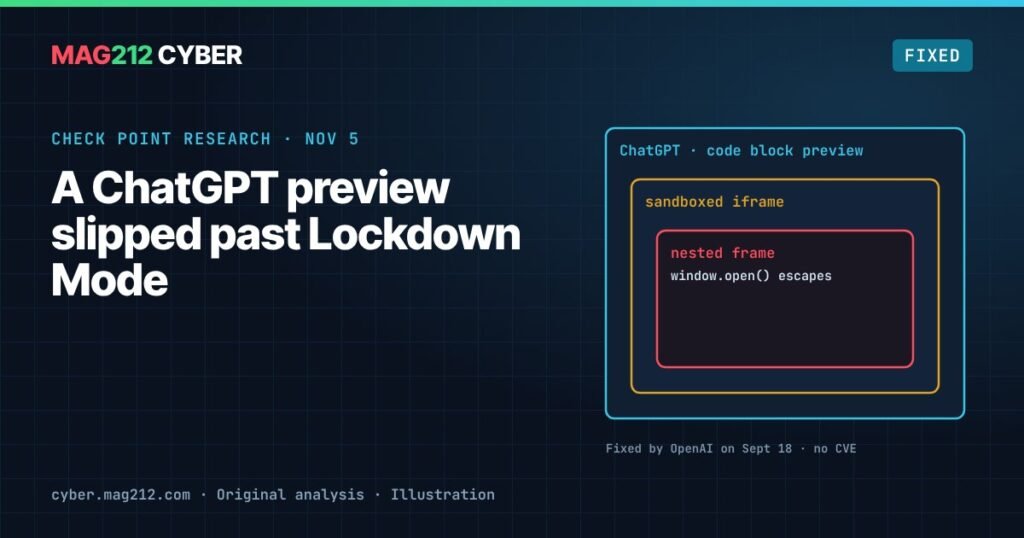
When ChatGPT shows an HTML preview, the page’s code runs inside a sandbox that CPR says is “implemented in two nested iframes”. An iframe is a page embedded inside another page, and the browser’s sandbox settings decide what it may do. ChatGPT also watches outbound requests from the preview and turns them into approval dialogs, so the user has to say yes before data leaves.
The weak point was popups. ChatGPT replaced the preview’s window.open function with its own version that asked for approval, and calls with an empty URL or about:blank silently failed. But the outer iframe was allowed to open popups, and those popups were allowed to escape the sandbox. CPR found that if the preview code simply created a fresh iframe of its own, that new frame came with an original, unmodified window.open. Calling it opened a popup that ChatGPT’s interception never saw, and the popup’s contents ran without a sandbox.
Technical detail. The outer HTML-preview iframe carried the sandbox tokens allow-popups and allow-popups-to-escape-sandbox. ChatGPT’s sandbox script overrode window.open in the preview’s own window, but not in child frames created at runtime. In CPR’s example, window.open("about:blank") is blocked, while f.contentWindow.open("about:blank"), where f is a newly created nested iframe, succeeds. Because of allow-popups-to-escape-sandbox, the resulting window runs outside the sandbox, beyond the reach of ChatGPT’s request approvals.
Three demonstrated impacts
CPR showed three attacks. They differ in how much the victim had to do, and that difference matters.
| Attack | What happens | User interaction |
|---|---|---|
| Silent chat exfiltration | A malicious GPT, prompt or shared chat sends conversation messages to an attacker’s server | None in the ChatGPT Classic desktop app, where window.open “works even without a user gesture” and “simply having a conversation would be enough” |
| Fake-update malware lure | A popup keeps the ChatGPT icon while the attacker controls its title and content, presenting a fake update | Clicks required. In the desktop app the user must click the preview, then the download link, because the app blocks automatic downloads |
| Forced sign-out and phishing | The popup reloads the main ChatGPT window, signs the user out and redirects to an attacker-controlled login page | None in ChatGPT Classic, according to CPR |
In web browsers, popups normally need a user action, so the browser case is less automatic. CPR notes, however, that downloads were “not blocked” there, and that shared chats can reach victims who do not even have accounts. Its advice was that “any clicks on content in shared chats” carried risk.
Disclosure and fix
CPR reported the issue to OpenAI through responsible disclosure; the report date is not stated. On 18 September 2026, OpenAI told CPR it had deployed a fix that removed allow-popups and allow-popups-to-escape-sandbox from the outer preview iframe. CPR retested and confirmed the technique “no longer works”.
Neither Check Point page mentions a CVE, a bug bounty or a public statement from OpenAI.
This is not CPR’s first ChatGPT finding. It previously disclosed a DNS-tunneling exfiltration flaw in ChatGPT’s code-execution runtime, which it says was “promptly” fixed.
Why it matters
In our assessment, this was a classic web-sandbox misconfiguration, overly permissive iframe tokens, rather than a failure of the model to resist prompt injection. Lockdown Mode worked as designed at the AI layer. The leak came from the application wrapped around it.
Check Point’s Eli Smadja puts it this way: “AI security controls are only as strong as the wider application environment around them.” AI assistants now render HTML, run code, call connectors and ship as desktop apps. Each of those is conventional software with conventional bugs, and each one can undo an AI-specific safeguard.
What organizations using AI assistants should do
Check Point recommends the following, with our additions:
- Know what is in use. Gain visibility into which AI services employees use and where data goes, including desktop clients.
- Set policy and technical controls on what can be shared with AI services, and limit the sensitive data those services can reach in the first place.
- Treat the whole stack as attack surface. Apps, runtimes, sandboxes and connectors belong in your AI threat model, not just the model and its prompts.
- Don’t treat Lockdown Mode as a guarantee. OpenAI itself says it reduces, not eliminates, exfiltration risk. Use it as one layer.
- Be wary of shared chats and third-party GPTs. CPR’s attacks could be delivered through a malicious GPT, prompt or shared chat. Train staff not to click on previews or downloads inside content from untrusted sources.
- Verify any “update” prompt through official channels, never through a window that appears from a chat.
Frequently asked questions
Is the ChatGPT Lockdown Mode bypass still exploitable?
No. OpenAI told Check Point it deployed a fix on 18 September 2026, and CPR confirmed the technique no longer works.
Did the attack need the victim to click anything?
It depends. Chat exfiltration and forced sign-out were zero-click in the ChatGPT Classic desktop app. The fake-update malware lure required clicks, and browser popups normally need a user action.
Is there a CVE for the ChatGPT Lockdown Mode bypass?
Check Point’s publications do not mention a CVE, a bug bounty or a public OpenAI statement.
Should I still use Lockdown Mode?
The fix is in place, and Lockdown Mode still limits outbound requests. Treat it as one layer of defence, not a guarantee against data exfiltration.
Sources
- Check Point Research: ChatGPT Lockdown Mode bypass (technical write-up)
- Check Point blog: ChatGPT Lockdown Mode bypass reveals a wider challenge in AI security
- OpenAI: Introducing Lockdown Mode and Elevated Risk labels in ChatGPT
- The Hacker News: New ChatGPT Lockdown Mode limits tools (6 June 2026)
This article expands a story from the MAG212 CYBER Daily, 6 November 2026.