
Synology C3RB3R Ransomware: Which DSM Builds Are Safe and What to Do If Your NAS Is Hit
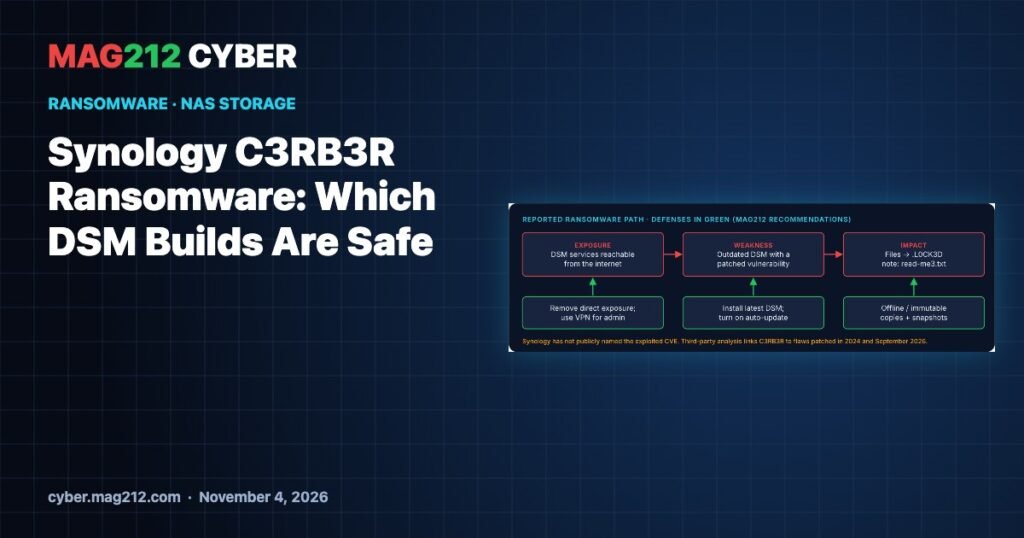
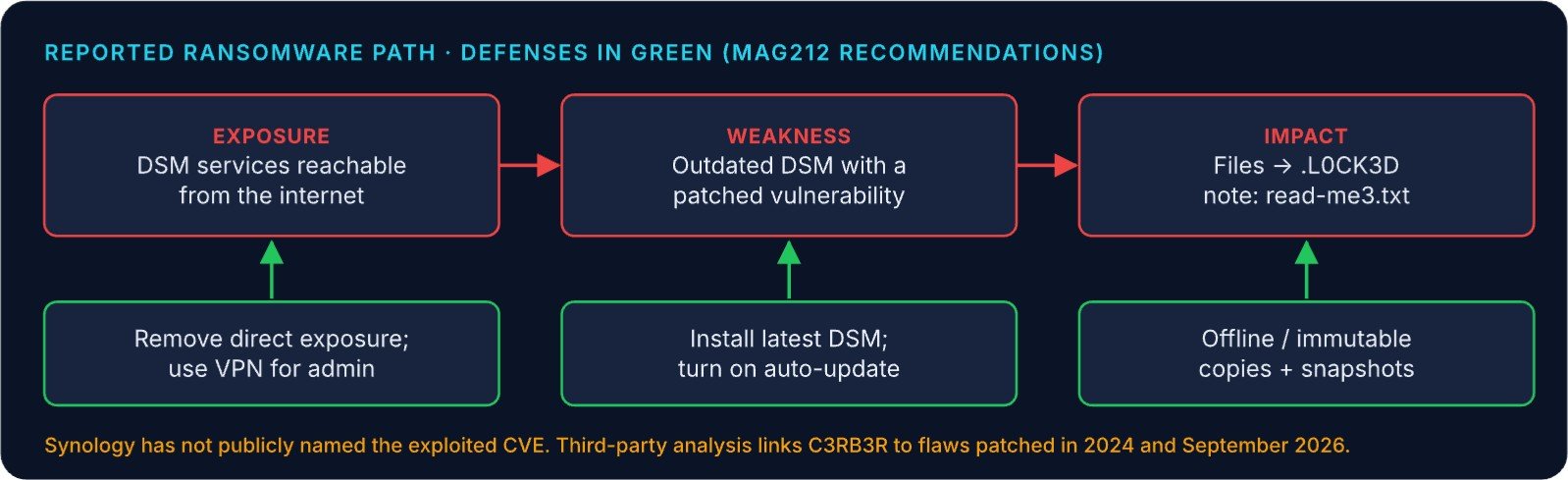
Synology is urging customers to update DiskStation Manager (DSM) and turn on automatic updates after C3RB3R ransomware hit NAS devices running outdated DSM. Victims report files renamed with a .L0CK3D extension and a ransom note called read-me3.txt. The flaws being abused are already patched, so the fix is to get every NAS onto a current DSM build and take its management interface off the internet.
This guide lists the minimum DSM builds from both of Synology’s relevant advisories, explains how to check yours, and covers what to do if a NAS has already been encrypted.
Key facts
| Item | Detail |
|---|---|
| Ransomware | C3RB3R (also called Cerber / CerberImposter) |
| Signs | Files renamed .L0CK3D; note read-me3.txt in each encrypted folder |
| Synology statement | October 29, 2026: update DSM and enable auto-update |
| Exploited flaw | Not named by Synology; its statement links advisory SA-24:20 |
| Also linked | Qihoo 360 ties C3RB3R to CVE-2026-13684 and CVE-2026-13639 (both CVSS 9.8, fixed in SA-26:13, September 2026) |
| Fix | Install the latest DSM for your model |
What we know, and what we don’t
Synology’s October 29 statement says the attacks hit outdated DSM and links advisory SA-24:20, which covers CVE-2024-10441 (a critical 9.8 remote-code-execution flaw) and two moderate flaws. Separately, security vendor Qihoo 360 links the C3RB3R operators to two critical flaws Synology fixed in SA-26:13 on September 18, 2026: CVE-2026-13684 in SCGI and CVE-2026-13639 in the login logic.
Synology has not named the CVE actually being exploited. Its statement also says the flaw was patched in December 2024, while SA-24:20 is dated November 2024. Neither gap changes what you should do: install the newest DSM your model supports.
Minimum fixed DSM builds
| DSM branch | SA-26:13 (Sep 18, 2026) | SA-24:20 (2024) |
|---|---|---|
| DSM 7.4 | 7.4-90075 | n/a |
| DSM 7.3 | 7.3.2-86009-4 | n/a |
| DSM 7.2.2 | 7.2.2-72806-9 | 7.2.2-72806-1 |
| DSM 7.2.1 | 7.2.1-69057-12 | 7.2.1-69057-6 |
| DSM 7.2 | Not listed | 7.2-64570-4 |
| DSM 7.1 | Not listed | 7.1.1-42962-7 |
| DSM 6.2 | Not listed | 6.2.4-25556-8 |
SA-26:13 includes the two 9.8-rated flaws linked to C3RB3R and lists fixes only for the 7.2.1 branch and newer. If your NAS is on 7.2, 7.1 or 6.2, check whether your model supports a newer branch and move to it.
How to check your NAS
- Version: in DSM 7.x, open Control Panel › Update & Restore › DSM Update. Labels may differ slightly by release. If SSH is enabled, the read-only command
cat /etc.defaults/VERSIONprints the installed build. - Exposure: check your router for port forwards to DSM (by default 5000/5001), review QuickConnect use, and confirm admin accounts use strong, unique passwords with 2FA.
- Updates: turn on automatic DSM updates, as Synology recommends.
If a NAS has already been encrypted
- Disconnect it from the network but leave it powered on. Do not reformat or reinstall yet.
- Preserve evidence: keep the ransom note and a sample of encrypted files, and note the DSM version and the time you noticed.
- Check what survived: look for read-only snapshots or offline and off-site backups before you restore anything.
- Recover: update DSM, rotate all DSM and shared-folder credentials, close internet exposure, then restore from clean copies.
Prevention checklist
- Keep NAS management off the public internet. Use a VPN for remote admin.
- Install the latest DSM and leave auto-update on.
- Keep at least one backup copy offline or immutable, and keep snapshots on.
- Review admin accounts and disable the ones you do not need.
Frequently asked questions
Which DSM version protects against C3RB3R?
Synology has not named the exploited flaw, so install the latest DSM for your model. As a floor, use the SA-26:13 builds above, such as 7.2.2-72806-9 or 7.2.1-69057-12.
Can I decrypt .L0CK3D files without paying?
We have not seen a verified free decryptor for this campaign. Recovery currently depends on snapshots and backups, so protect them before you need them.
Is QuickConnect safe to keep on?
It reduces direct port exposure, but the account behind it still needs a strong password and 2FA, and DSM must stay current. If you don’t use remote access, turn it off.
Sources
- Synology: urges users to update DSM following ransomware attacks (Oct 29, 2026)
- Synology-SA-26:13 DSM (Sep 18, 2026)
- Synology-SA-24:20 DSM
- The Hacker News: Synology NAS devices targeted in ransomware attacks
- BleepingComputer: Synology warns of C3RB3R ransomware attacks
Related coverage on MAG212 CYBER
- When the Update Becomes the Attack: MAG212 CYBER Daily, 4 November 2026
- CVE-2026-119977: The WordPress Core Update Race in CISA KEV
- cPGuard Update Channel Hijacked
- APT29 Watering Holes Target Outdated Phones
- 3AM Ransomware at a UK School Estate
- Drupal Commerce Core CVE-2026-118539 Exploited
- Every issue in the Magazine Library